Imagine managing thousands of users, apps, and devices across the globe with just a few clicks. That’s the magic of Azure Active Directory—a cloud-powered identity and access management solution that’s redefining how businesses secure their digital ecosystems.






What Is Azure Active Directory and Why It Matters
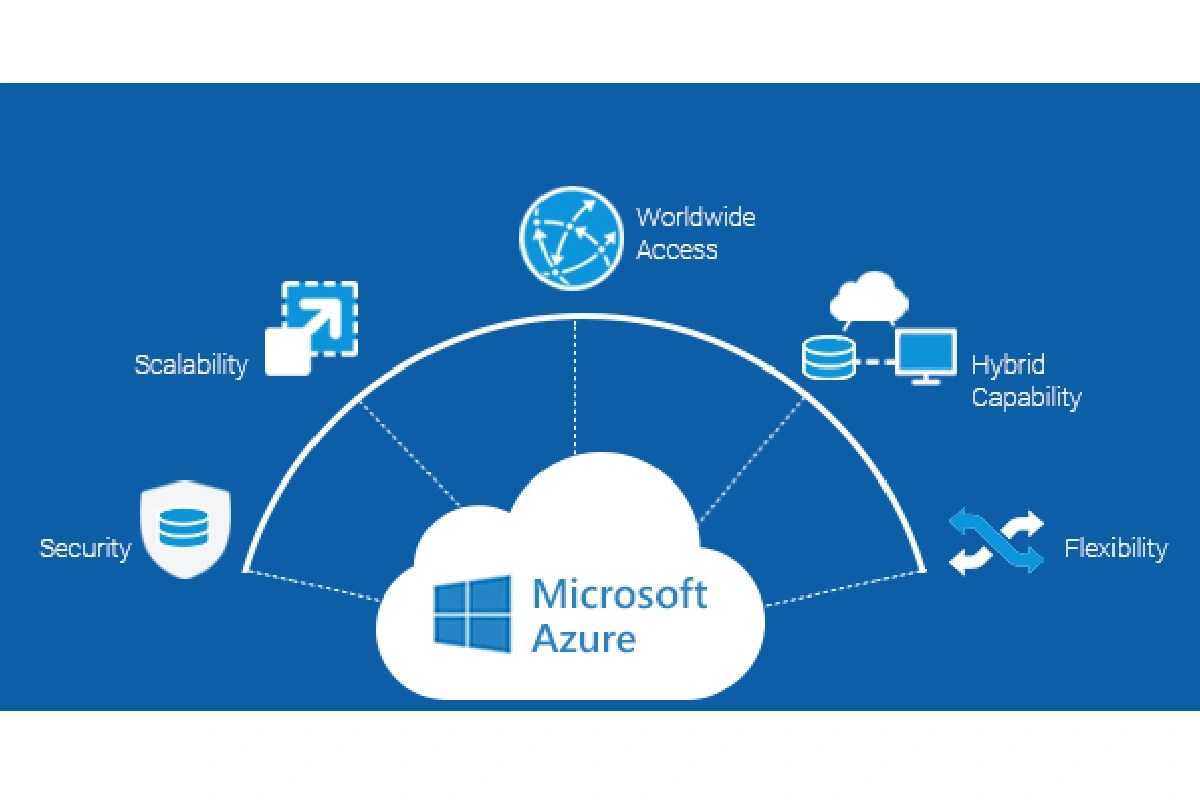
Azure Active Directory (Azure AD) is Microsoft’s cloud-based identity and access management service, designed to help organizations securely manage user identities and control access to applications and resources. Unlike traditional on-premises Active Directory, Azure AD operates in the cloud, offering scalability, flexibility, and seamless integration with modern cloud applications.
Core Definition and Evolution
Azure Active Directory was first introduced in 2010 as Windows Azure Platform AppFabric Access Control Service, later rebranded to Azure AD. Over the years, it has evolved from a simple single sign-on (SSO) solution into a comprehensive identity platform that supports hybrid environments, multi-factor authentication, conditional access, and identity governance.
- Initially focused on cloud app access for Office 365.
- Now supports over 2,600 pre-integrated SaaS applications.
- Central to Microsoft’s Zero Trust security model.
Differences Between Azure AD and On-Premises AD
While both systems manage identities, they serve different purposes and architectures. On-premises Active Directory is built for Windows domain networks, using protocols like LDAP and Kerberos. Azure AD, on the other hand, is optimized for cloud services, using REST APIs and OAuth 2.0.
- Authentication: On-prem AD uses NTLM/Kerberos; Azure AD uses OAuth, OpenID Connect, SAML.
- Deployment: On-prem requires physical servers; Azure AD is fully cloud-hosted.
- User Management: On-prem manages domain-joined devices; Azure AD manages cloud identities and hybrid join scenarios.
“Azure AD isn’t a cloud version of Active Directory—it’s a different product for a different era.” — Microsoft Documentation
Key Features of Azure Active Directory
Azure Active Directory offers a robust suite of features that empower organizations to manage identities securely and efficiently. From single sign-on to advanced threat detection, these capabilities form the backbone of modern identity management.
Single Sign-On (SSO) Across Cloud and On-Premises Apps
One of the most powerful features of Azure AD is its ability to provide seamless single sign-on access to thousands of cloud applications, including Salesforce, Dropbox, and Microsoft 365. Users can log in once and gain access to all authorized apps without re-entering credentials.
- Supports SAML, OAuth, OpenID Connect, and password-based SSO.
- Enables secure access to legacy on-premises apps via Azure AD Application Proxy.
- Reduces password fatigue and improves user productivity.
For more details, visit the official Microsoft SSO documentation.
Multi-Factor Authentication (MFA) for Enhanced Security
Azure AD Multi-Factor Authentication adds an extra layer of security by requiring users to verify their identity using two or more methods—something they know (password), something they have (phone or token), or something they are (biometrics).
- Supports phone calls, text messages, Microsoft Authenticator app, FIDO2 security keys.
- Can be enforced based on user risk, location, or device compliance.
- Reduces the risk of account compromise by up to 99.9% according to Microsoft.
“MFA is the single most effective step organizations can take to prevent unauthorized access.” — Microsoft Security Blog
Conditional Access: Smart Policies for Secure Access
Conditional Access in Azure Active Directory allows administrators to enforce access controls based on specific conditions such as user location, device compliance, sign-in risk, and application sensitivity.
- Example: Block access from unfamiliar countries unless the device is compliant.
- Integrates with Microsoft Defender for Cloud Apps and Identity Protection.
- Enables Zero Trust principles by verifying every access request.
Learn more about Conditional Access policies at Microsoft’s Conditional Access page.
Azure Active Directory Editions: Free, P1, P2 Compared
Azure AD comes in four main editions: Free, Office 365 Apps, Premium P1, and Premium P2. Each tier offers increasing levels of functionality, catering to different organizational needs.
Free Edition: What You Get Without Paying
The Free edition is included with any Azure subscription and provides basic identity and access management features.
- User and group management.
- Basic SSO to SaaS apps.
- 10 app integrations.
- Limited reporting and monitoring.
Best suited for small businesses or testing environments.
Premium P1: Advanced Access and Automation
Azure AD Premium P1 builds on the Free edition with advanced features focused on access management and automation.
- Dynamic groups based on user attributes.
- Self-service password reset (SSPR) for cloud and on-premises users.
- Access reviews for periodic entitlement verification.
- Hybrid identity with password hash sync and pass-through authentication.
Essential for mid-sized organizations implementing identity governance.
Premium P2: Identity Protection and Governance at Scale
Premium P2 includes all P1 features plus advanced identity protection and governance capabilities.
- Azure AD Identity Protection: detects risky sign-ins and user behavior.
- Privileged Identity Management (PIM): just-in-time access for admins.
- Advanced identity governance with access packages and entitlement management.
- Full audit logs and anomaly detection.
Ideal for enterprises requiring compliance with regulations like GDPR, HIPAA, or SOX.
How Azure Active Directory Integrates with Microsoft 365
Microsoft 365 and Azure Active Directory are deeply intertwined. In fact, every Microsoft 365 subscription relies on Azure AD for identity management, making it the foundation of the entire productivity suite.
User Lifecycle Management in Microsoft 365
When a new employee joins, their identity is created in Azure AD, which automatically provisions access to Microsoft 365 services like Exchange Online, SharePoint, and Teams.
- Automated user provisioning via SCIM (System for Cross-domain Identity Management).
- Role-based access control (RBAC) for assigning admin roles.
- License assignment based on group membership or manual allocation.
Secure Access to Office Apps and Services
Azure AD ensures that only authorized users can access Microsoft 365 resources, using conditional access policies and MFA.
- Prevent data leakage by blocking access from unmanaged devices.
- Enforce MFA for sensitive actions like mailbox access or file sharing.
- Monitor sign-in activity through Azure AD Sign-In Logs.
Explore integration details at Microsoft 365 and Azure AD integration guide.
Synchronization with On-Premises AD via Azure AD Connect
For organizations with existing on-premises Active Directory, Azure AD Connect enables seamless synchronization of user identities to the cloud.
- Supports password hash synchronization, pass-through authentication, and federation.
- Enables single password for both on-prem and cloud resources.
- Allows gradual migration to cloud-only identities.
“Azure AD Connect bridges the gap between legacy infrastructure and modern cloud identity.” — Microsoft Tech Community
Security and Threat Protection with Azure AD
In an era of increasing cyber threats, Azure Active Directory plays a critical role in protecting organizational identities. Its built-in security tools help detect, prevent, and respond to identity-based attacks.
Identity Protection and Risk-Based Policies
Azure AD Identity Protection uses machine learning to analyze sign-in and user risk, identifying suspicious activities such as sign-ins from anonymous IPs or impossible travel.
- Assigns risk levels: low, medium, high.
- Triggers automated responses like requiring MFA or blocking access.
- Integrates with Conditional Access for policy enforcement.
Learn how it works at Azure AD Identity Protection overview.
Privileged Identity Management (PIM) Explained
Privileged accounts are prime targets for attackers. Azure AD PIM reduces risk by providing just-in-time (JIT) access to administrative roles.
- Admins request elevated access only when needed.
- Access is time-limited and requires approval.
- Full audit trail of privileged activities.
PIM supports both Azure AD roles and Azure resource roles, making it a unified privilege management solution.
Monitoring and Reporting Tools
Azure AD provides comprehensive monitoring capabilities through its built-in reports and logs.
- Sign-in logs: track successful and failed logins.
- Audit logs: monitor configuration changes and admin activities.
- Interactive dashboards for real-time insights.
- Export data to SIEM tools like Microsoft Sentinel.
These tools are essential for compliance audits and incident investigations.
Hybrid Identity: Bridging On-Prem and Cloud
Many organizations operate in a hybrid environment, where some resources remain on-premises while others move to the cloud. Azure Active Directory supports this transition with robust hybrid identity solutions.
Understanding Azure AD Connect and Its Modes
Azure AD Connect is the primary tool for synchronizing on-premises directories with Azure AD. It supports multiple authentication methods:
azure active directory – Azure active directory menjadi aspek penting yang dibahas di sini.
- Password Hash Sync (PHS): Syncs password hashes to Azure AD for cloud authentication.
- Pass-Through Authentication (PTA): Validates passwords against on-prem AD in real-time.
- Federation (AD FS): Uses on-premises federation servers for SSO.
PHS and PTA are recommended for most organizations due to lower complexity and better reliability.
Seamless Single Sign-On (SSO) for Hybrid Users
Azure AD Seamless SSO automatically signs in users when they’re on corporate devices connected to the corporate network, without requiring them to enter credentials.
- Works with PHS and PTA.
- Uses Kerberos decryption keys stored in Azure AD.
- Improves user experience while maintaining security.
Device Management with Hybrid Join and Azure AD Join
Devices can be registered or joined to Azure AD to enable conditional access and compliance policies.
- Azure AD Join: For cloud-only devices (e.g., personal laptops).
- Hybrid Azure AD Join: For domain-joined devices that also register with Azure AD.
- Integrates with Microsoft Intune for endpoint management.
This enables policies like “only compliant devices can access corporate email.”
Best Practices for Managing Azure Active Directory
Effective management of Azure Active Directory requires a strategic approach to security, governance, and user experience. Following best practices ensures optimal performance and protection.
Implementing Role-Based Access Control (RBAC)
Assign permissions based on job roles rather than individuals to minimize over-privileged accounts.
- Use built-in roles like Global Administrator, Conditional Access Administrator, or custom roles.
- Follow the principle of least privilege (PoLP).
- Regularly review role assignments.
Enforcing Multi-Factor Authentication Organization-Wide
MFA should not be optional. Enforce it for all users, especially administrators.
- Use Conditional Access policies to require MFA for high-risk scenarios.
- Enable MFA registration during user onboarding.
- Provide user training to reduce resistance.
Regular Audits and Access Reviews
Conduct periodic access reviews to ensure users still need their permissions.
- Use Azure AD Access Reviews to automate the process.
- Schedule reviews quarterly or semi-annually.
- Remove access for departed employees immediately.
“The biggest security risk isn’t hackers—it’s forgotten permissions.” — Cybersecurity Expert
Common Challenges and How to Overcome Them
While Azure Active Directory is powerful, organizations often face challenges during implementation and daily operations.
Complexity in Conditional Access Policy Management
Creating too many or conflicting policies can lead to access issues.
- Start with a baseline policy (e.g., require MFA for admins).
- Use the What If tool to test policy impact before enforcement.
- Document all policies and their purposes.
User Resistance to MFA and SSO
Some users find MFA annoying or don’t understand its importance.
- Educate users on the security benefits.
- Offer multiple MFA methods (e.g., authenticator app, FIDO2 keys).
- Implement MFA in phases, starting with admins.
Hybrid Synchronization Issues with Azure AD Connect
Synchronization errors can cause user mismatches or login failures.
- Monitor Azure AD Connect health regularly.
- Use the Synchronization Service Manager for troubleshooting.
- Keep Azure AD Connect updated to the latest version.
Future of Identity Management: Azure AD and Beyond
The landscape of identity management is rapidly evolving, and Azure Active Directory is at the forefront of this transformation.
Zero Trust and the Role of Azure AD
Zero Trust is a security model that assumes no user or device should be trusted by default, even if inside the corporate network. Azure AD is a cornerstone of Microsoft’s Zero Trust framework.
- Verify explicitly: always authenticate and authorize based on all available data.
- Use least privilege access: limit user access with just-in-time and just-enough-access (JIT/JEA).
- Assume breach: minimize blast radius and segment access.
Learn more at Microsoft’s Zero Trust page.
Passwordless Authentication Trends
Microsoft is pushing toward a passwordless future, and Azure AD supports several passwordless methods.
- Microsoft Authenticator app (push notifications or biometrics).
- FIDO2 security keys (e.g., YubiKey).
- Windows Hello for Business.
Passwordless reduces phishing risks and improves user experience.
AI and Machine Learning in Identity Security
Azure AD leverages AI to detect anomalies and predict threats.
- Identity Protection uses AI to score sign-in and user risk.
- Automated investigation and response (AIR) in Microsoft Defender for Identity.
- Future enhancements may include behavioral biometrics and adaptive policies.
What is Azure Active Directory used for?
Azure Active Directory is used to manage user identities, control access to applications and resources, enable single sign-on, enforce security policies, and protect against identity-based threats in cloud and hybrid environments.
Is Azure AD the same as Windows Active Directory?
No, Azure AD is not the same as Windows Active Directory. While both manage identities, Azure AD is cloud-native and designed for modern applications using standards like OAuth and SAML, whereas Windows AD is on-premises and uses LDAP and Kerberos for domain-based networks.
How much does Azure Active Directory cost?
Azure AD has a Free tier included with Azure subscriptions. Premium P1 costs around $6/user/month, and Premium P2 is about $9/user/month. Pricing varies based on licensing and volume.
Can Azure AD replace on-premises Active Directory?
For many organizations, yes—especially those moving to cloud-only models. However, hybrid environments often require both, with Azure AD handling cloud access and on-prem AD managing legacy systems.
How do I get started with Azure Active Directory?
Start by creating an Azure account, enabling Azure AD, adding users, assigning licenses, and configuring basic policies like MFA and conditional access. Use Microsoft Learn for free training and documentation.
Microsoft’s Azure Active Directory is far more than just a cloud directory—it’s a comprehensive identity and access management platform that empowers organizations to secure their digital transformation. From seamless single sign-on and multi-factor authentication to advanced threat protection and hybrid integration, Azure AD provides the tools needed to implement Zero Trust, reduce risk, and improve user productivity. Whether you’re a small business or a global enterprise, understanding and leveraging Azure AD’s capabilities is essential for staying secure in today’s cloud-first world.
azure active directory – Azure active directory menjadi aspek penting yang dibahas di sini.
Recommended for you 👇
Further Reading: