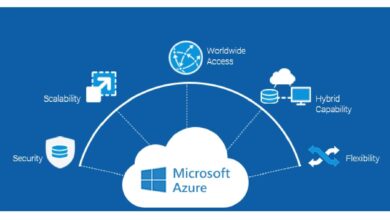
Cloud computing has revolutionized how we build, deploy, and scale applications—and at the heart of this transformation lies Azure apps. Whether you’re a startup founder or an enterprise architect, understanding Microsoft Azure’s app ecosystem is no longer optional. It’s essential.






What Are Azure Apps and Why They Matter

Azure apps refer to a broad category of application services offered by Microsoft Azure that enable developers to build, deploy, and manage modern applications across cloud and hybrid environments. These aren’t just tools—they’re a complete ecosystem designed for agility, scalability, and enterprise-grade security.
Defining Azure Apps in the Modern Tech Landscape
Azure apps encompass everything from web apps and mobile backends to serverless functions and containerized microservices. They are built on Microsoft’s global cloud infrastructure, which spans over 60 regions worldwide. This ensures low latency, high availability, and compliance with international data regulations.
- Azure App Service for web and API hosting
- Azure Functions for event-driven, serverless computing
- Azure Logic Apps for workflow automation
- Azure Kubernetes Service (AKS) for container orchestration
These services allow developers to focus on writing code rather than managing servers. According to Microsoft, over 95% of Fortune 500 companies use Azure in some capacity, highlighting its dominance in enterprise cloud adoption.
Key Benefits of Using Azure Apps
The power of Azure apps lies in their integration, flexibility, and enterprise readiness. Unlike standalone platforms, Azure apps are deeply integrated with other Azure services like Active Directory, Azure DevOps, and Azure Monitor, creating a seamless development pipeline.
- Scalability: Automatically scale apps based on traffic using built-in autoscaling features.
- Security: Leverage Azure’s robust identity and access management (IAM), network security groups, and compliance certifications (e.g., GDPR, HIPAA).
- Cost Efficiency: Pay only for what you use with flexible pricing models, including free tiers for startups.
“Azure isn’t just a cloud platform—it’s a productivity engine for developers.” — Satya Nadella, CEO of Microsoft
Core Azure App Services You Need to Know
To truly master Azure apps, you must understand the core services that power them. Each service is tailored for specific use cases, from simple websites to complex AI-driven workflows.
Azure App Service: The Foundation of Web Apps
Azure App Service is the go-to platform for hosting web applications, REST APIs, and mobile backends. It supports multiple programming languages including .NET, Java, Node.js, Python, and PHP, making it highly versatile for development teams.
One of its standout features is deployment flexibility. You can deploy from GitHub, Azure DevOps, or even local Git repositories. Continuous integration and delivery (CI/CD) are baked in, allowing for automated testing and deployment pipelines.
- Supports custom domains and SSL certificates
- Integrated with Application Insights for real-time monitoring
- Enables staging slots for zero-downtime deployments
For example, a company like Contoso might use Azure App Service to host its customer portal, leveraging staging environments to test updates before going live. Learn more about Azure App Service documentation.
Azure Functions: Serverless Computing Made Simple
Azure Functions allows developers to run small pieces of code (functions) in response to events—without provisioning or managing servers. This is ideal for tasks like processing file uploads, handling API requests, or triggering workflows.
Functions can be written in C#, JavaScript, Python, or PowerShell and can scale automatically from zero to thousands of executions per second. Pricing is based on execution time and resource consumption, making it cost-effective for sporadic workloads.
- Triggers include HTTP requests, timers, Azure Storage events, and more
- Integrates seamlessly with Azure Event Grid and Service Bus
- Supports Durable Functions for stateful workflows
A logistics company could use Azure Functions to process incoming shipment data from IoT sensors, triggering alerts when delays occur. Explore Azure Functions official guide for deeper insights.
Azure Logic Apps: Automating Business Workflows
While Azure Functions handle code execution, Azure Logic Apps focus on workflow automation. They allow non-developers and developers alike to create integrations between cloud and on-premises systems using a visual designer.
Logic Apps support hundreds of connectors—including Salesforce, Office 365, SQL Server, and Twitter—enabling powerful automations without writing a single line of code.
- Drag-and-drop interface for building workflows
- Supports conditional logic, loops, and error handling
- Can be triggered by emails, file changes, or API calls
For instance, a marketing team might use Logic Apps to automatically create a lead in Dynamics 365 whenever someone fills out a form on their website. Check out Azure Logic Apps documentation for templates and best practices.
How to Build Your First Azure App Step by Step
Creating your first Azure app doesn’t require deep expertise. With the right guidance, you can deploy a functional web app in under 30 minutes. Let’s walk through the process using Azure App Service.
Step 1: Set Up Your Azure Account
Before building any Azure apps, you need an Azure account. Microsoft offers a free tier with $200 in credits for new users, valid for 30 days. This is perfect for testing and learning.
- Go to azure.microsoft.com and sign up
- Verify your identity with a phone number and credit card (no charges unless you upgrade)
- Access the Azure portal at portal.azure.com
Once logged in, you’ll see the Azure dashboard, where you can manage all your resources.
Step 2: Create a Web App in Azure App Service
Navigate to the “App Services” section and click “Add.” Choose a subscription, resource group, and name your app (e.g., MyFirstAzureApp). Select the runtime stack (e.g., .NET 6) and region closest to your users.
After deployment, Azure automatically provisions a URL like https://myfirstazureapp.azurewebsites.net. You can now deploy your code via FTP, Git, or GitHub Actions.
- Use the “Deployment Center” to connect your GitHub repository
- Enable continuous deployment so every push triggers an update
- Monitor logs and performance in real time
This setup is ideal for developers who want rapid iteration without infrastructure headaches.
Step 3: Deploy and Monitor Your App
Once your app is live, monitoring becomes critical. Azure Monitor and Application Insights provide deep visibility into performance, errors, and user behavior.
- Track request rates, response times, and failure percentages
- Set up alerts for anomalies (e.g., sudden spike in 500 errors)
- Use dashboards to visualize key metrics
For example, if your app slows down during peak hours, you can scale out instances or optimize database queries using insights from telemetry data.
Scaling and Securing Azure Apps for Enterprise Use
While getting started is easy, scaling and securing Azure apps for enterprise use requires strategic planning. Organizations must ensure reliability, compliance, and resilience under heavy loads.
Strategies for Scaling Azure Apps
Scaling in Azure can be vertical (increasing instance size) or horizontal (adding more instances). The App Service Plan determines your scaling options.
- Manual Scaling: Adjust instance count based on predictable traffic patterns (e.g., Black Friday sales)
- Auto Scaling: Configure rules based on CPU usage, memory, or queue length
- Zone Redundancy: Distribute instances across availability zones for fault tolerance
For high-traffic applications, consider using Azure Traffic Manager or Front Door to route users to the nearest data center, reducing latency.
Security Best Practices for Azure Apps
Security is not an afterthought in Azure apps—it’s built-in. However, misconfigurations remain a common vulnerability.
- Enable Azure Web Application Firewall (WAF) to protect against SQL injection and cross-site scripting (XSS)
- Use Managed Identities to avoid storing secrets in code
- Enforce HTTPS with TLS 1.2+ and redirect HTTP traffic
- Apply Role-Based Access Control (RBAC) to limit user permissions
Additionally, integrate Azure Key Vault to securely store API keys, passwords, and certificates. This prevents hardcoded credentials and reduces attack surface.
“In the cloud, security is a shared responsibility—Microsoft secures the infrastructure, but you secure your apps.” — Azure Trust Center
Integrating Azure Apps with DevOps and CI/CD Pipelines
Modern software development relies on automation. Azure apps thrive when integrated with DevOps practices, enabling faster releases and higher quality.
Using Azure DevOps for CI/CD
Azure DevOps provides a suite of tools for version control, build automation, testing, and deployment. By connecting your Azure app to a DevOps pipeline, you can automate the entire software lifecycle.
- Create a repository in Azure Repos or link GitHub
- Define a build pipeline that compiles code and runs unit tests
- Set up a release pipeline to deploy to staging and production environments
For example, a team working on a mobile backend can trigger a build on every pull request, run integration tests, and deploy to a test environment—all without manual intervention.
GitHub Actions as an Alternative CI/CD Tool
Not using Azure DevOps? No problem. GitHub Actions offers powerful CI/CD capabilities directly within GitHub. You can define workflows using YAML files to build, test, and deploy Azure apps.
- Use the
azure/webapps-deployaction to deploy to App Service - Store secrets in GitHub’s encrypted secrets manager
- Trigger workflows on push, pull request, or schedule
This approach is ideal for open-source projects or teams already invested in the GitHub ecosystem.
Monitoring, Logging, and Troubleshooting Azure Apps
Even the best-deployed Azure apps can face issues. Proactive monitoring and effective troubleshooting are essential for maintaining uptime and performance.
Leveraging Azure Monitor and Application Insights
Azure Monitor collects telemetry from all your Azure resources, while Application Insights focuses specifically on application performance.
- Track custom events (e.g., button clicks, form submissions)
- Monitor dependencies like SQL queries or external APIs
- Use AI-powered anomaly detection to identify performance regressions
You can create custom dashboards to visualize key performance indicators (KPIs) and set up action groups to notify teams via email, SMS, or Slack when thresholds are breached.
Using Log Analytics for Deep Diagnostics
Log Analytics, part of Azure Monitor, allows you to query logs using Kusto Query Language (KQL). This is invaluable for debugging complex issues.
- Search for specific error messages across all app instances
- Analyze trends over time (e.g., increase in 404 errors)
- Correlate logs with metrics and traces
For example, if users report login failures, you can run a KQL query to find all AuthenticationFailed events in the last hour and trace them to a specific service outage.
Future Trends: AI, Containers, and Edge Computing in Azure Apps
The future of Azure apps is being shaped by artificial intelligence, containerization, and edge computing. Staying ahead means embracing these trends today.
Azure AI and Machine Learning Integration
Microsoft is embedding AI into every layer of Azure. Developers can now integrate cognitive services—like vision, speech, and language processing—into their apps with minimal code.
- Use Azure Cognitive Services for sentiment analysis in customer feedback
- Deploy custom ML models via Azure Machine Learning
- Leverage Azure OpenAI Service to integrate GPT models into chatbots
For instance, a healthcare app could use AI to analyze medical images and flag potential anomalies for doctors.
Containerization with Azure Kubernetes Service (AKS)
Containers have become the standard for deploying scalable, portable applications. AKS simplifies Kubernetes management, allowing teams to focus on app logic rather than cluster operations.
- Deploy microservices architecture with isolated containers
- Scale individual components independently
- Use Helm charts for package management
Companies like BMW use AKS to manage thousands of containers powering their connected car platforms.
Edge Computing with Azure IoT Edge
As latency-sensitive applications grow, edge computing is gaining traction. Azure IoT Edge allows you to run Azure services and AI models directly on devices at the edge.
- Process data locally instead of sending it to the cloud
- Reduce bandwidth costs and improve response times
- Support offline scenarios in remote locations
A manufacturing plant might use Azure IoT Edge to monitor equipment in real time and predict failures before they happen.
What are Azure apps?
Azure apps are cloud-based application services provided by Microsoft Azure, including App Service, Functions, Logic Apps, and Kubernetes. They enable developers to build, deploy, and scale applications efficiently in the cloud.
How much does it cost to run Azure apps?
Costs vary based on service and usage. Azure App Service starts free (free tier), while premium plans can range from $50 to thousands per month. Azure Functions charge per execution and memory usage, often costing less than $10 for light workloads.
Can I use Azure apps with GitHub?
Yes, Azure apps integrate seamlessly with GitHub for CI/CD. You can automate deployments using GitHub Actions or Azure DevOps, enabling continuous delivery from code commit to production.
Is Azure better than AWS for apps?
It depends on your needs. Azure excels in enterprise integration, especially with Microsoft products like Office 365 and Active Directory. AWS has broader service variety, but Azure offers superior hybrid cloud capabilities and developer tools.
How do I secure my Azure app?
Use Azure Web Application Firewall (WAF), enable HTTPS, apply Role-Based Access Control (RBAC), store secrets in Azure Key Vault, and monitor with Application Insights. Regularly audit configurations using Azure Security Center.
Mastering Azure apps is no longer optional—it’s a strategic advantage. From deploying your first web app to scaling enterprise systems with AI and containers, Azure provides the tools you need to innovate faster and more securely. Whether you’re a solo developer or part of a large team, the power of cloud-native development is within reach. Start small, iterate quickly, and leverage the full ecosystem of Azure services to build the future of your applications.
Further Reading: